Describe it. AI builds it. Drag to make it yours.

DragBuilder's built-in AI generates your app's first screens, data model and logic from plain language — then you adjust anything by dragging and dropping, no technical background needed. Launch on Desktop, Android, iPhone and the Web, all from one project.

Try it in your browser
Download DragBuilder

Free to start. No credit card required.
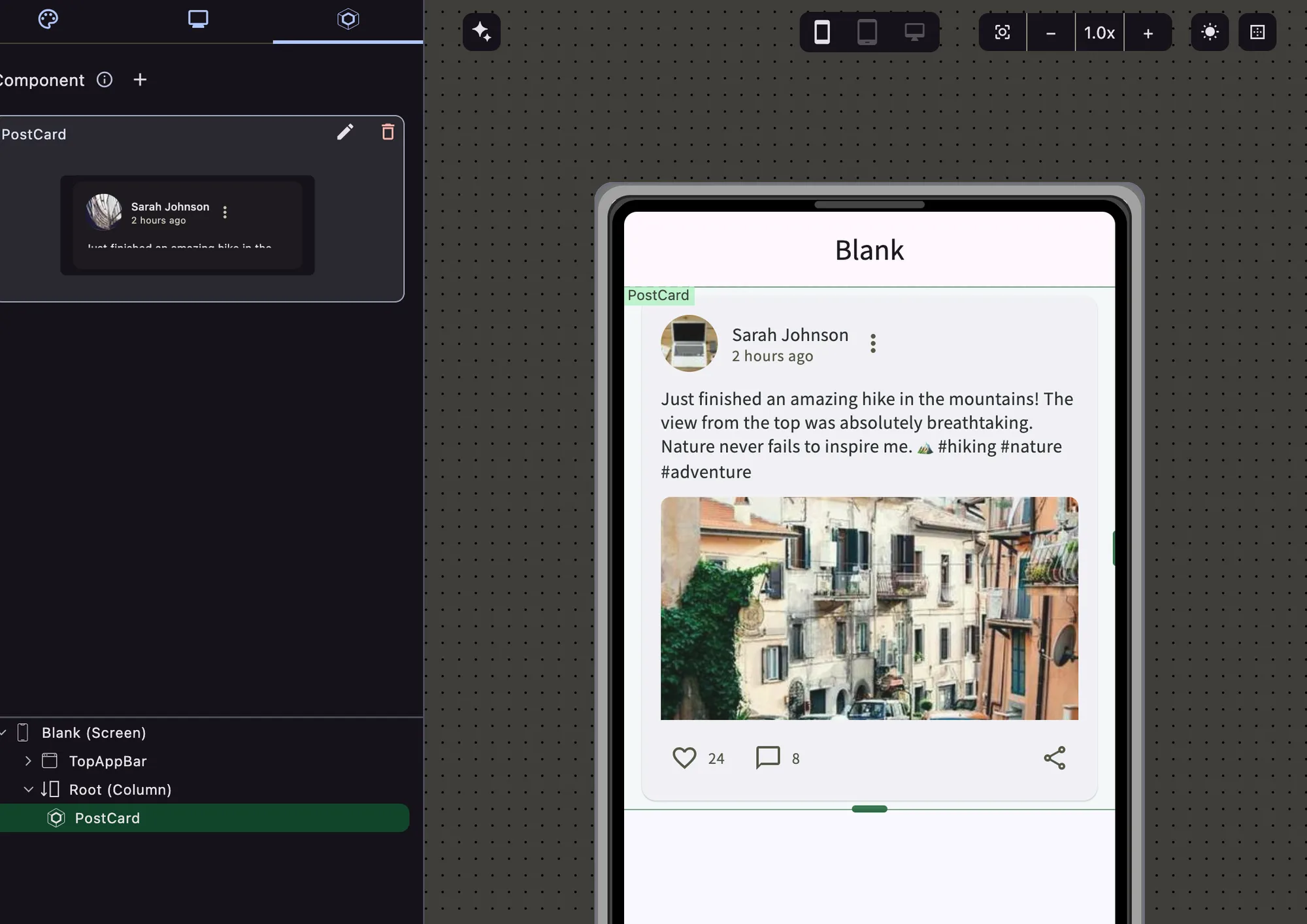
The DragBuilder canvas: a library of ready-made pieces on the left, a live preview of the real app in the center, and its settings on the right.
DesktopAndroidiPhoneWeb

Everything you need to ship

Built for people who think in screens, not syntax.

Describe it, AI builds it

Describe a screen — or a whole app — in plain language. AI generates the structure, the data model and the logic. You refine it from there by dragging, not by writing code.

Design by dragging, not coding

Adjust anything visually from a library of ready-made pieces — buttons, forms, lists and more. No technical knowledge needed.

A real app, not a mockup

What you design actually works — it’s not a prototype or a preview. You get a genuine, functioning app underneath.

One app, every device

Build once and it runs on Desktop, Android, iPhone and the Web — no extra work to reach each one separately.

Connect your data

Add logins, a database, or outside services to your app without any technical setup.

It’s really yours

Export your project whenever you want. Nothing hidden, nothing proprietary keeping you locked in.

How it works

From idea to install in three drags.

Describe your appRefine it by draggingShip everywhere

Tell the built-in AI what you want to build — it drafts the first screens, data model and logic for you.

Adjust anything AI drafted the same way you’d arrange sticky notes — drag, drop, connect the pieces that still need it.

One project, four targets — Desktop, Android, iPhone and the Web.

FAQ

Questions, answered.

Can AI really build a whole app, not just a screen?

Yes. Describe what you want and DragBuilder's built-in AI generates the screens, the data model and the logic behind them — you're not limited to one component or one page at a time.

Do I need to know how to code?

No. Everything AI generates — and everything you add or adjust afterward — is done by dragging and dropping from a library of ready-made pieces, not by writing code.

Is DragBuilder free?

Yes, it's free to start and no credit card is required. You can try it in your browser or download the desktop app for macOS.

Which platforms can I build for?

One project runs on Desktop, Android, iPhone and the Web — you don't need to design or build each one separately.

Am I locked into DragBuilder once I build something?

No. You can export your project whenever you want — nothing about what you build is hidden or proprietary.

Get DragBuilder

Free to start. Available for macOS — Windows and Linux are coming soon.

Download for macOS

v1.5.4